Video & Music Downloader HD
- 4.2
- Rating
- 10.00M
- Installs
- Free
- Price

 Analysis by App-foxy
Video & Music Downloader HD is the kind of Android app I would reach for when I need to save a video quickly rather than manage a full media library. It sits in the video players and editors category, but its practical appeal is simpler: it focuses on downloading video, saving stories, and keeping clips available for later viewing. I found the experience most useful when I treated it as a focused utility instead of expecting it to replace a complete video editor or a polished streaming service.
The app is free to install, carries an Everyone age rating, and works on devices running Android 6.0 or later. It has reached over ten million installs and holds a 4.2 average from around 421 thousand ratings, which suggests that the basic idea is useful to a broad audience. Fast Tour Booking - Flights & Hotels is listed as the developer, an unusual developer name for a video tool, so I would personally pay attention to the app’s permissions and download behavior before making it part of my daily routine.
How the everyday download workflow feels
My preferred way to use Video & Music Downloader HD is to start with one clear task: find a video I am allowed to save, send its address into the app, and check the available result before committing storage space. That sounds obvious, but it is the habit that keeps the app from becoming a cluttered folder of forgotten clips. I would not open it casually and download everything that appears interesting. I would first decide whether I need the file offline, whether I have permission to keep it, and where I want it to remain afterward.
You May Also Like

 Blood Strike: 2.5 Anniversary
Blood Strike’s Loadouts Turn Every Drop Into a Tactical Gamble
A close look at Blood Strike’s custom loadouts: how fast access to signature weapons reshapes its battle royale rhythm, rewards preparation, and narrows the gap between fights.

 Pandora - Music & Podcasts
Pandora’s Music Is Easy to Start, but Harder to Recover
Pandora’s strength is its low-effort path from a seed to a station. Its weak spot is how much confidence it asks you to place in connection, setup, and quiet recovery.

 8 Ball Pool
 Is Built on Rivalries, Rematches, and Routine
A close look at the rivalries, rematches, shared routines, and unanswered safety questions that turn a quick pool match into a persistent mobile community.

 Samsung Music
’s Quiet Strength Is Playing What You Already Own
Its reach comes less from spectacle than from dependable access to a personal library. That simplicity is both the app’s strongest retention engine and its ceiling.

 AccuWeather: Weather Radar
AccuWeather Review: A Quick, Clear Forecast for Everyday Decisions
For everyday plans, the best forecast is the one you can understand quickly. AccuWeather makes rain timing, radar, and local conditions easy to act on, with a few trade-offs.

 Hill Climb Racing
Why Hill Climb Racing Still Turns Crashes Into One More Run
A tiny car, a bumpy hill and one more upgrade: Hill Climb Racing keeps resurfacing because its simple chaos makes every near-miss feel personal.
More From Our News Desk



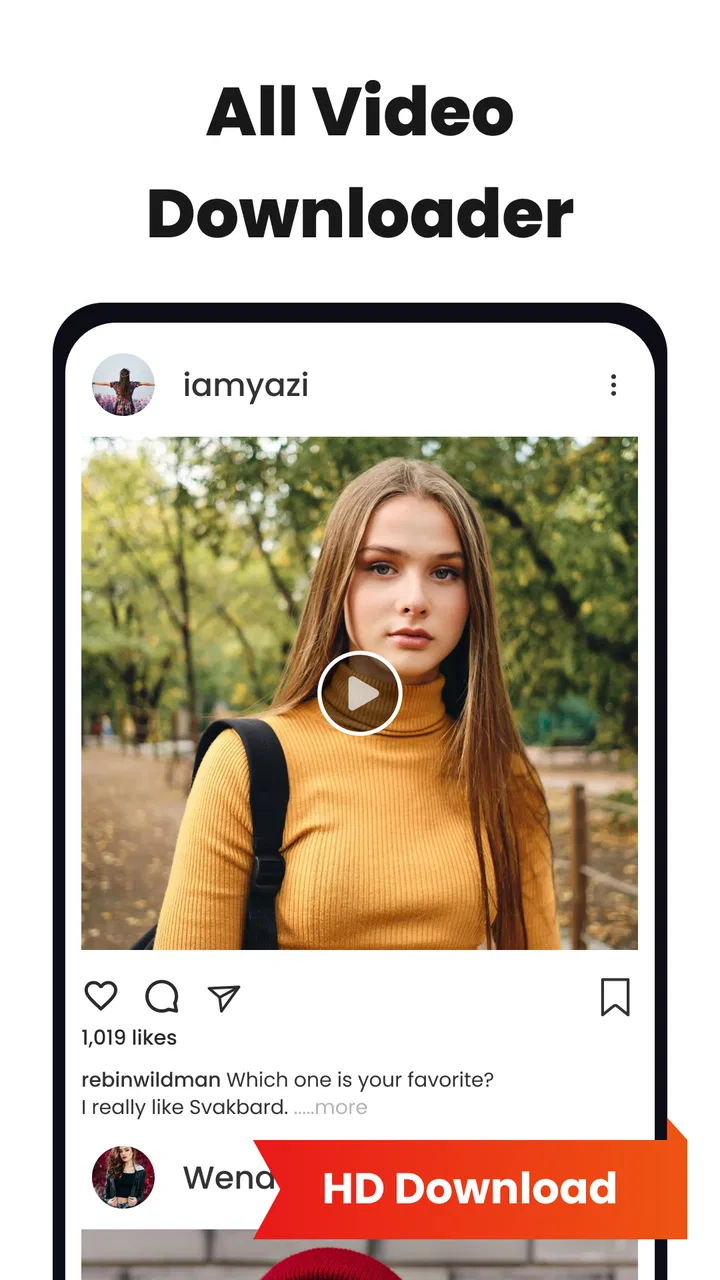
The store summary presents it as a fast video downloader, story saver, and Instasaver. In practical terms, that makes it more attractive for short-form content than for people who want a serious desktop-style editing suite. Saving a clip for a trip, keeping a personally created story before it disappears, or collecting reference footage for a later project are sensible uses. Downloading copyrighted material without permission is not a good reason to install it, and the presence of a download button does not change the rules of the platform or the rights attached to a video.
One useful routine is to review the file immediately after saving it. I check that the clip opens, that the sound is present, and that the result is the version I intended to keep. This catches the common problem of saving a preview, a low-quality copy, or a file with an unhelpful name and then discovering the issue much later. It also gives me a chance to rename or move the clip while I still remember why I downloaded it.
The app’s strength is speed of access, not deep organization. If you only save a few items occasionally, that is a reasonable trade-off. If you build a large archive, the normal Android file manager, a gallery with albums, or a dedicated media organizer will probably become more important than the downloader itself. I would create a simple folder structure outside the app, separating personal clips, travel material, work references, and temporary files. That small step prevents the download directory from becoming a confusing stream of unrelated videos.
What I would check before saving anything
I would first confirm the source and the intended use. For my own stories or videos, saving a local copy can be a sensible backup. For someone else’s post, I would use the app only when the creator has permitted downloading or when the content is clearly offered for that purpose. This is not just a legal consideration; it also avoids building a collection that may disappear from a service or become impossible to identify later.
I would then look at available quality choices rather than automatically selecting the largest file. A high-resolution download is helpful when I plan to watch it on a larger screen, but it is wasteful for a short clip that will stay on a phone. The best choice depends on the screen, the available storage, and whether I need the video for close inspection or casual playback. The fastest download is not always the most useful download.
After saving, I would test playback with the phone’s normal video player. That separates a download problem from a playback problem. If the file plays in one application but not another, the issue may be format support rather than a failed transfer. This is also why I would avoid deleting the original source immediately after downloading. Keeping the source available for a moment makes it easier to repeat the process if the first result is incomplete.
Settings that deserve a deliberate look
Experienced use starts with checking the app’s available settings before relying on it repeatedly. I would look for the default download location, the preferred video quality, and any options that affect how links are handled. Even when the controls are straightforward, choosing them once can make later downloads more consistent. A downloader becomes frustrating when every file lands somewhere unexpected or when the phone quietly fills with oversized copies.
Storage is the setting I would treat most seriously. Short videos can accumulate quickly, especially when I save several versions of the same clip. I would check free space before a long session and review old files afterward. If the app offers a choice between internal storage and another available location, I would choose the place that is easiest to back up and least likely to interfere with the phone’s everyday operation.
I would also review notification behavior and any automatic actions. A downloader that announces every completed file may be useful during a batch of saves, but excessive alerts become noise during normal phone use. If there is an option to reduce interruptions, I would prefer that. The goal is to make the app work quietly in the background of my routine rather than constantly demand attention.
Privacy deserves the same practical attention. I would read the permission prompts as they appear and decline access that is not needed for the task I am performing. I would also avoid entering sensitive account details into a tool whose main purpose is saving media. If a source requires a sign-in, I would rather use the official application or website than hand credentials to an unrelated utility. This is one area where convenience should not outrank account security.
The current version is 1.3.6, and the app was released on May 29, 2024. I would keep the application updated through the normal store process, especially if I use it for regular downloads. Updates can affect compatibility and reliability, but I would still review any changed permissions or behavior rather than accepting every prompt without reading it.
Repeatable patterns that save time
My fastest pattern is to prepare the destination before I begin. I decide whether a clip is temporary or worth keeping, then save it and move it into the right folder immediately. This is quicker than downloading first, postponing the decision, and later trying to remember which of twenty similar files matters. For a handful of clips, that simple discipline is more valuable than any theoretical speed advantage.
For story saving, timing matters. I would save my own story while it is still easy to access instead of waiting until the last moment. I would also verify the result before the original expires. That gives me time to repeat the action if the network connection drops or if the saved file does not contain the expected audio. The app is more dependable as part of this short routine than as an emergency tool used seconds before content disappears.
When collecting reference material, I would use descriptive filenames based on the subject and date rather than leaving every item with an automatically generated name. I would not rely on memory to identify clips later. A naming habit makes the downloader useful for planning a video, comparing examples, or preparing material for an editor. It also makes deleting temporary files much safer because I can tell what each one is.
On a limited mobile connection, I would wait for Wi-Fi before saving large files and avoid starting several downloads while the phone is performing other demanding tasks. A stable connection matters more than trying to force speed. If a download fails, I would retry one item at a time, check the source again, and confirm that the phone has enough free space. Repeating the same action blindly can create duplicate files without solving the original problem.
Another useful habit is to keep the downloader separate from editing. I would use this app to obtain a local copy, then open the result in the editor I already trust. That division keeps expectations clear: the downloader handles acquisition, while the editor handles trimming, captions, transitions, and export. If I need those creative tools inside one polished workflow, a dedicated editor may be a better purchase than trying to make this utility do everything.
Where the app is helpful, and where it stops
The main limitation is that a downloader cannot guarantee that every online source will behave in the same way. Websites and social platforms can change their page structure, restrict access, require authentication, or block saving. A link that works today may not produce the same result later. I would therefore judge the app by how conveniently it handles supported, permitted downloads, not by expecting it to defeat every platform restriction.
Stories and short social clips can also contain elements that do not transfer perfectly. Audio, overlays, stickers, captions, and temporary effects may depend on how the original service delivers the content. I would check the saved copy rather than assume it is identical to what I saw online. If preserving the complete original presentation is essential, the platform’s own save or export function is usually the safer first choice.
The app is not the right choice for someone searching for professional media management. It does not replace a catalog with tagging, a backup system, or an editor designed for multi-track projects. It is also not ideal for a person who wants a completely frictionless, one-tap experience across every social network. Those users may prefer official offline features, a browser-based workflow, or a better-known file manager that integrates more naturally with their devices.
There is also a payment detail worth noticing. The app is free, but in-app purchases are listed at $14.99 per item. I would make the free workflow my test before considering any purchase, and I would check exactly what an item unlocks at the moment it is offered. A paid option may be worthwhile for someone who downloads frequently, but occasional users should not assume that paying will solve source restrictions or improve every type of video.
Compared with using the official application for each service, this tool can be more convenient when I want one place for permitted saves. The official route is usually stronger for account safety, platform compatibility, and preserving the original context. Compared with a browser downloader, a dedicated Android app can feel quicker for repeat use, while the browser may be easier to abandon without leaving another installed utility. Compared with a full editor, this app is narrower but less complicated. The right choice depends on whether saving or creating is the real job.
Who will get the most from it
I think the best audience is someone who regularly needs local copies of short videos, personal stories, or social clips and wants a direct Android workflow. It can also suit travelers who prepare a small offline collection before a flight, students who save permitted reference demonstrations, and creators who want to preserve their own temporary posts before reusing them in an edit. In each case, the value comes from a repeatable process rather than from a long list of advanced creative tools.
I would recommend it less strongly to families who want a tightly controlled media library, professionals who need dependable batch management, or users who are uncomfortable reviewing permissions and file locations. The Everyone rating makes it broadly approachable, but an age rating does not remove the need for sensible handling of downloaded content. Parents should still explain what children may save and where those files go.
Device compatibility is fairly broad because Android 6.0 is the minimum operating system. Still, older phones may have less storage or slower performance, so I would start with a small file rather than a large batch. On any phone, I would leave room for normal updates, photos, and messaging attachments instead of treating all free storage as available for downloads.
My practical verdict after settling into a routine
After using it as a focused downloader, I see a useful but clearly limited tool. Its appeal is immediate: save a permitted clip, verify it, organize it, and move on. The story-saving and Instasaver angle gives it a more specific purpose than a generic file manager, while the free entry point makes it easy to test without committing money first.
What I like most is the possibility of building a clean habit around it. I can choose a sensible quality, save only what I need, check playback, and move the file into a named folder. Those steps make the experience feel reliable even though online sources themselves can be unpredictable. The app works best when I stay in control of the workflow instead of expecting automatic organization.
What keeps me from calling it an essential installation is the uncertainty that naturally surrounds third-party downloading tools. Source compatibility can change, privacy deserves attention, and a downloader does not offer the editing or cataloging depth of specialized alternatives. The developer name, Fast Tour Booking - Flights & Hotels, also makes me more cautious than I would be with a tool from a clearly established media company. I would use it for practical, permitted saves, but I would avoid giving it more access than necessary.
For my own phone, I would keep Video & Music Downloader HD as a convenience utility rather than the center of my media workflow. If your main need is quickly keeping personal stories or approved short videos for offline use, it is worth trying. If you need professional editing, guaranteed access to every platform, secure account integration, or a serious archive, I would choose a dedicated alternative instead. The app earns its place through a simple repeatable workflow, not through pretending to be more than that.
My final recommendation: install it when you value quick, occasional video saving and are willing to check sources, permissions, storage, and file quality yourself. Skip it when official offline tools already meet your needs or when your work demands dependable media management. Used with those boundaries, it can be a handy part of an Android video routine rather than another application that quietly fills the phone with files.
FAQs for Video & Music Downloader HD
01Is Video & Music Downloader HD free to use?
Yes, Video & Music Downloader HD offers a free version that allows users to download videos and music from various platforms. However, there might be limitations on the number of downloads or features accessible in the free version. For full access, including advanced features, there may be an option for a premium subscription.
02Which platforms are supported for downloading content?
Video & Music Downloader HD supports a wide range of popular platforms, including YouTube, Facebook, Instagram, and more. The app allows users to easily download content by simply copying and pasting the URL into the app. It's important to note that downloading content should comply with the terms and conditions of the respective platforms.
03Is the app safe and secure to use?
Yes, Video & Music Downloader HD is designed with user security in mind. The app ensures that downloads do not contain any malware or viruses. However, users are advised to download the app from official app stores like Google Play or the Apple App Store to avoid any security risks associated with unofficial versions.
04Can I choose the download quality of videos and music?
Absolutely! Video & Music Downloader HD allows users to select the quality of the videos and music they wish to download. Options range from standard definition to high definition, depending on the source and the user's preference. This feature ensures that users can manage their device storage effectively while enjoying high-quality content.
05Does the app support offline playback of downloaded content?
Yes, once you download videos or music using Video & Music Downloader HD, you can enjoy offline playback anytime, anywhere. This is especially useful for users who travel frequently or have limited data access. The downloaded files can be accessed through the app’s library for easy management and playback.
Pros
- High-quality downloads available.
- Supports multiple video and audio formats.
- User-friendly and intuitive interface.
- Fast download speeds.
- No intrusive ads.
Cons
- Limited free version features.
- Requires in-app purchases for HD.
- Occasional download errors.
- Not available on all devices.
- Some formats not supported.

Video & Music Downloader HD
Gallery